

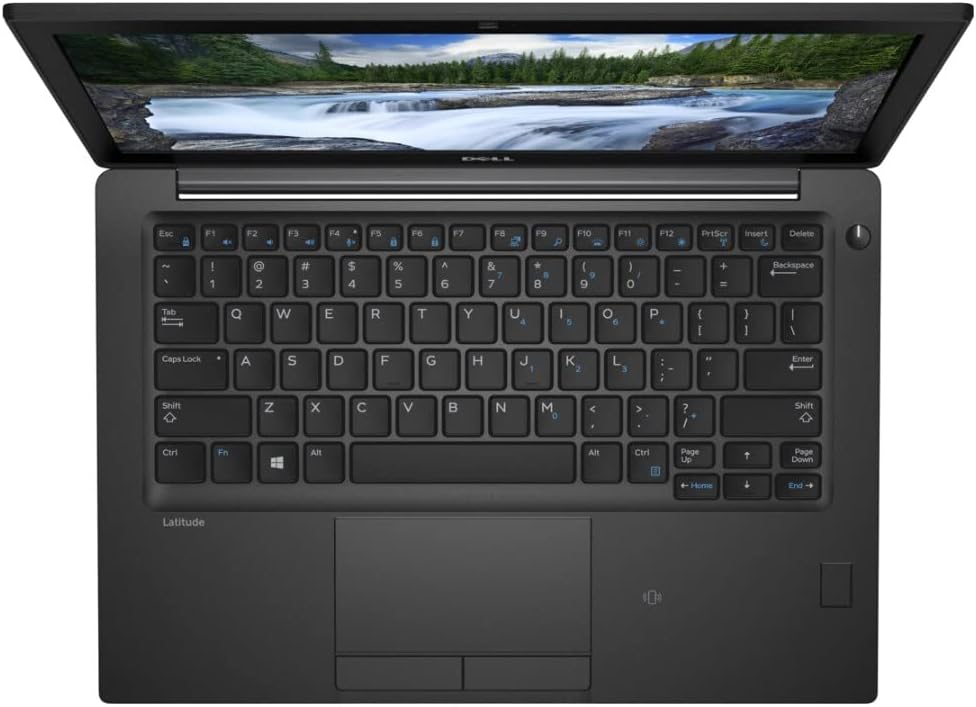
Shopping for an i7 laptop in South Africa can feel like a gamble. Two machines can both say “Core i7” on the sticker and still be years apart in speed, battery life and Windows 11 support. This guide explains what the i7 badge really tells you, which Intel generations are worth your money, how much RAM and SSD you need, and what to check before you buy refurbished, so you end up with a business-class machine that fits your work and your budget.
What Does “Core i7” Actually Mean?
Intel uses Core i3, i5 and i7 as performance tiers. Within the same generation, an i7 usually has more cache, higher boost clock speeds and, on some generations, more cores or threads than the matching i5. The catch is the words “within the same generation”. A Core i7 from 2017 is not automatically faster than a Core i5 from 2021.
The model number tells you the generation. In a chip such as the i7-8650U, the “8” after the hyphen means 8th gen, and in an i7-1265U the “12” means 12th gen. The letter at the end matters too. Intel’s processor numbering guide explains that U-series chips are built for power efficiency, while H-series chips are built for the highest performance. Most business ultrabooks use U-series chips, and mobile workstations often use H-series.
i5 vs i7 Laptop: Which One Do You Need?
For email, Microsoft Office, browsing, Teams calls and school work, a recent Core i5 is plenty. You will rarely feel the gap in day-to-day use. An i7 laptop earns its keep when the processor is under sustained load for long stretches, for example when you:
- work in big Excel models, databases or accounting packages with large company files
- edit photos in batches or cut video for clients or social media
- run several virtual machines, coding tools or local test servers at once
- use CAD, BIM or GIS software such as AutoCAD, Revit, SolidWorks or QGIS
- keep dozens of browser tabs and heavy apps open all day and simply hate waiting
The good news about buying refurbished is that the price gap between an i5 and an i7 tends to be smaller than it is on new machines. If you sit somewhere in between, it is often worth stepping up to the i7 for extra headroom over the next few years. Our complete guide to refurbished laptops covers the broader i5 vs i7 decision if you are still comparing options.
Which Intel Generations Matter: 8th to 12th Gen
When you choose an i7 laptop, the generation matters more than the badge. Here is a quick overview of the generations you will see most often on refurbished business laptops:
| Generation | What stands out | Best suited to |
|---|---|---|
| 8th gen | The first generation where mainstream U-series laptop i7 chips moved to four cores and eight threads, a big jump over 7th gen. Officially supported by Windows 11. | Value-focused buyers, office work, students |
| 10th gen | Refinements in speed and efficiency on the same basic design. Solid all-rounders. | Office and multitasking at a fair price |
| 11th gen | Intel Iris Xe integrated graphics, a noticeable step up for video playback, multiple screens and light creative work. | Hybrid workers, light photo and video work |
| 12th gen | Hybrid design with performance and efficiency cores, so it handles heavy multitasking more smoothly. | Power users who want the longest useful life |
Two practical takeaways. First, 8th gen is the sensible floor for a Windows laptop today, because Microsoft’s official Windows 11 support starts there. Older i7 chips can still work well, but check what operating system comes installed and how you plan to use it. Second, if you can stretch to 11th or 12th gen, you get a machine that should stay comfortable for years.
RAM and SSD: Don’t Let Them Hold Your i7 Back
A fast processor paired with too little memory feels slow. For a Core i7 machine we recommend:
- RAM: 16GB is the sweet spot for multitasking, large spreadsheets and creative apps. 8GB is fine for lighter use, but then an i5 may give you better value.
- Storage: always choose an SSD. 256GB suits people who keep files in the cloud, while 512GB is better if you store photos, video projects or large software installs locally.
Many business laptops can be upgraded later, but buying the right configuration from the start saves time and hassle.
Business-Class i7 Laptops Worth Considering
Business laptops are built for years of daily use, with sturdier chassis, better keyboards and easy servicing. That is why they make such good refurbished buys. Stock changes often, so treat these as examples of what to look for and browse our Core i7 laptops category to see what is currently available.
Dell Latitude 5000 Series
The Latitude 5500, 5510, 5520, 5530 and 5590 are dependable 15-inch-class workhorses with good port selection. Newer options such as the Dell Latitude 5530 with a 12th gen i7, 16GB and 512GB SSD or the Latitude 5520 with an 11th gen i7 give you modern performance at a refurbished price.
Lenovo ThinkPad T, L and E Series
ThinkPads are known for their excellent keyboards and robust build. The ThinkPad T480 with an 8th gen i7 is a long-time favourite for value, while newer models like the ThinkPad L14 with a 12th gen i7 suit buyers who want more years of service. The T490, E14, E15 and L15 fill the gaps in between.
Mobile Workstations for CAD and Design
If you work in AutoCAD, Revit, SolidWorks or similar software, look at a mobile workstation rather than a standard business laptop. These machines add professional graphics cards that are certified for design applications. Examples include the Lenovo P53 with NVIDIA Quadro T1000 graphics, the Lenovo P51 and P52s with Quadro graphics, and the Dell Precision 3540 with AMD Radeon Pro WX 2100 graphics. They are heavier than a standard business laptop, but they handle 3D models and large drawings far better than integrated graphics.
Who Actually Needs an i7 Laptop?
To keep it simple:
- Choose an i7: engineers, architects and draughtspeople, developers, content creators, analysts and anyone who runs demanding software all day.
- A Core i5 is probably enough: students, admin and office staff, remote workers who mostly use email, Office and video calls, and home users.
- Choose a workstation: anyone whose main software needs a certified professional graphics card.
If you are not sure where you fit, our article on how to choose the perfect refurbished laptop for your needs walks you through it step by step.
What to Check When Buying a Refurbished i7 Laptop
Before you pay for any refurbished machine, run through this checklist:
- The full processor model and generation, not just “i7”.
- RAM and SSD size, matched to the way you work.
- Battery health, especially if you work away from your desk or need the laptop to keep going during load-shedding.
- Screen resolution, ideally Full HD (1920 x 1080) for comfortable multitasking.
- Ports such as USB-C, HDMI and Ethernet, so you can connect your monitors and docking station.
- Operating system: confirm which version of Windows is installed and that it is licensed.
- Warranty and support: buy from a seller with a physical address and a written warranty.
Warranty: Your Safety Net
A refurbished laptop is only as good as the backing behind it. Every refurbished laptop from Refurbs4U, i7 models included, comes with a 12 month warranty, so you are covered if something goes wrong. Each machine is tested before it is sold, and you can contact our Johannesburg team with any questions before or after you buy. To learn why refurbished business laptops are so dependable, read are refurbished laptops reliable? Myths and warranties explained.
Frequently Asked Questions
Is an i7 laptop worth it over an i5?
Yes, if you run demanding software for long periods, such as CAD, video editing, large spreadsheets or virtual machines. For everyday office work, a recent i5 offers better value.
Is an 8th gen i7 laptop still good in 2026?
For office work, multitasking and study, an 8th gen i7 with 16GB RAM and an SSD still performs well, and 8th gen is officially supported by Windows 11. If you want the longest useful life, look at 11th or 12th gen.
Can a business i7 handle gaming?
Business i7 laptops are designed for work, not gaming. Most use integrated graphics, so they suit older or lighter games only. Mobile workstations have stronger graphics cards, but those are tuned for design software rather than games.
How much RAM do I need with a Core i7?
We recommend 16GB for most i7 buyers. It lets you get the full benefit of the processor when you have many apps and browser tabs open.
Do refurbished i7 laptops from Refurbs4U come with a warranty?
Yes. Our refurbished laptops come with a 12 month warranty, terms and conditions apply.
Find Your Next i7 Laptop at Refurbs4U
A refurbished business-class i7 laptop gives you the power you need without the new-laptop price tag. Browse our current range of Core i7 laptops or explore the full Refurbs4U shop, and if you need help choosing, get in touch. We will gladly help you match the right machine to your work.