

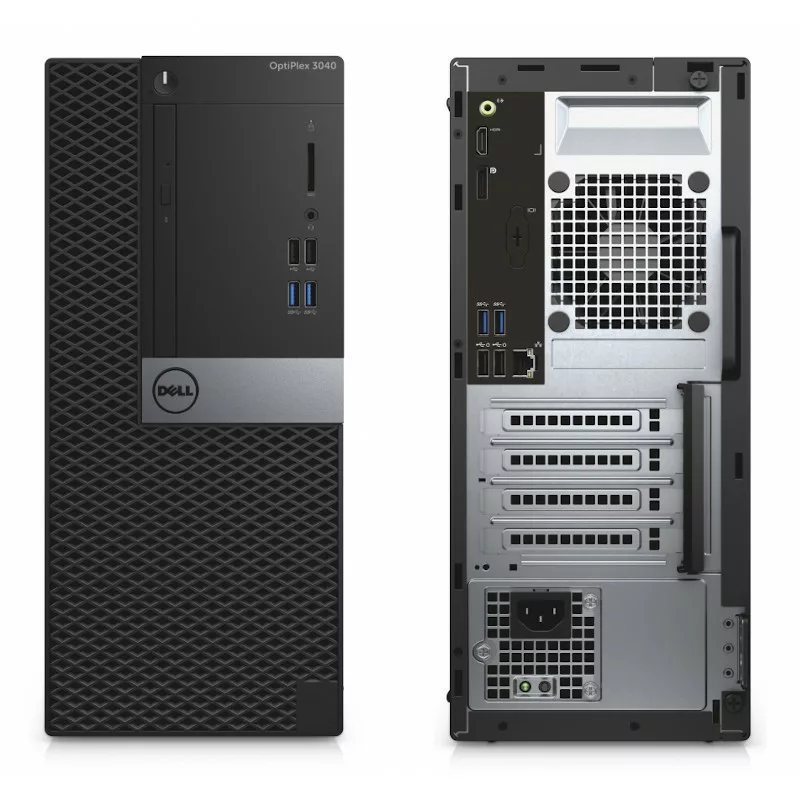
For most offices, home offices and study desks, an i5 desktop is the sweet spot. A Core i5 processor has enough power for office software, email, browsing, video calls, accounting packages and schoolwork, without the extra cost of a Core i7. Buy one refurbished and you get a business-grade Dell or Lenovo desktop for a fraction of the new price.
This guide explains who a Core i5 desktop suits, how to compare generations, how much memory and storage to choose, which desktop sizes are available and what to check before you buy. It is written for buyers across South Africa, from a single home office to a business setting up a whole team.
Who is an i5 desktop for?
A Core i5 desktop is a good fit if you:
- work in office software, email and a web browser most of the day
- run accounting, invoicing or point-of-sale software
- join video calls on Teams, Zoom or Google Meet
- need a reliable computer for a reception desk, admin office or call centre
- are setting up a computer for a student or a family
If you regularly edit video, work with very large spreadsheets or run many heavy programs at once, look at a Core i7 desktop instead. For most everyday work, though, a Core i5 does the job comfortably and leaves more of your budget for a good monitor.
i3, i5 or i7: where the Core i5 fits
Intel’s Core range is easiest to think of as good, better and best:
| Processor | Best suited to | In short |
|---|---|---|
| Core i3 | Very light use: browsing, email, simple documents | Entry level |
| Core i5 | Office work, multitasking, video calls, schoolwork | The all-rounder for most users |
| Core i7 | Heavier multitasking, large files, light design work | More power at a higher price |
The generation matters as much as the family. A newer Core i5 is often quicker than an older Core i7, so always compare the two together.
Which Core i5 generation should you choose?
The generation is the number after “Core i5” in the product name, for example “Core i5-8th Gen”. Each new generation brings better speed and efficiency. Our refurbished i5 desktops currently span several generations, including:
- 4th Gen: the most affordable option, fine for light office work, browsing and email.
- 6th Gen: a step up for everyday office use and schoolwork.
- 8th and 9th Gen: a bigger jump. From the 8th generation, desktop Core i5 processors moved from four to six cores, which makes multitasking noticeably smoother.
If your budget allows, an 8th or 9th Gen Core i5 is the best long-term choice for a busy office. For a basic second computer, a 4th or 6th Gen machine with an SSD can still feel quick.
How much RAM does an i5 desktop need?
- 8GB is a sensible minimum for office work, browsing and video calls.
- 16GB keeps things smooth if you keep many browser tabs open, run accounting software alongside email, or join video calls all day.
On most desktops, memory can be added later, which is one of the big advantages of a desktop over a laptop.
SSD or hard drive?
Choose a solid state drive (SSD) wherever you can. An SSD starts the computer and opens programs far faster than a traditional hard drive, and it makes an older processor feel much quicker. Some desktops pair an SSD for Windows and programs with a hard drive for extra file storage, such as the Dell 7060 Optiplex Desktop Intel Core i5-8th Gen 8GB Memory 256GB SSD + 500GB HDD.
Desktop sizes: SFF, tower or micro
Business desktops come in a few sizes:
- Small form factor (SFF): the classic office desktop. Compact enough for most desks, with room inside for extra memory and storage.
- Tower: larger, with the most room for upgrades.
- Micro: very small and quiet, ideal for reception desks and tidy home offices, with less room inside for upgrades.
If you are not sure which size you need, our refurbished PC buying guide compares all the desktop sizes, as well as all-in-ones and bundles.
Dell OptiPlex or Lenovo ThinkCentre?
Both are business ranges built for long days in the office, and both are easy to support.
- Dell OptiPlex: the most common business desktop in South African offices. Examples in our range include the Dell 7070 Optiplex Desktop Intel Core i5-9th Gen 8GB Memory 256GB SSD and the Dell 7040 Optiplex Desktop Intel Core i5-6th Gen 8GB Memory 256GB SSD. Our Dell OptiPlex buying guide explains the model numbers and sizes.
- Lenovo ThinkCentre: compact and well built, with a strong following in business. An example is the Lenovo ThinkCentre M710s Desktop Intel Core i5-6th Gen 8GB Memory 256GB SSD.
In practice, the processor generation, memory and SSD matter more than the brand. Choose the best combination your budget allows.
Ports, screens and networking
Before you buy, check that the desktop has what you need:
- USB ports for your keyboard, mouse, printer, scanner and flash drives.
- Video outputs that match your monitor, such as DisplayPort, HDMI or VGA. Many business desktops support two screens, which makes admin and spreadsheet work much easier.
- Networking: business desktops are designed for a network cable. If you need Wi-Fi, confirm whether it is built in or plan for a small USB Wi-Fi adapter.
Windows 10 Pro, ready to work
Every refurbished desktop we sell comes with Windows 10 Pro installed, so it is ready for office software, email, browsing and video calls as soon as you plug it in.
What to check before you buy a refurbished i5 desktop
- The full product name. It should state the processor generation, memory and storage clearly.
- An SSD. It makes the biggest difference to day-to-day speed.
- A written warranty. Our refurbished desktops come with a 12-month warranty included (T&Cs apply), upgradable to 24 months.
- Someone to talk to. You should be able to ask questions before you buy and get help afterwards.
- A plan for load shedding. Like any desktop, an i5 desktop switches off when the power goes. A small UPS gives you time to save your work.
Find your i5 desktop at Refurbs4U
Refurbs4U sells refurbished Dell, HP and Lenovo business computers from Edenvale, Gauteng, with delivery across South Africa. Browse every model in stock in our Core i5 desktop range, or contact Refurbs4U and we will help you choose the right machine for your budget.
Frequently asked questions about i5 desktops
Is an i5 desktop good enough for office work?
Yes. A Core i5 desktop comfortably handles office software, email, browsing, video calls, accounting software and schoolwork. Choose one with an SSD and at least 8GB of RAM.
Which generation of Core i5 desktop should I buy?
Buy the newest generation your budget allows. From the 8th generation, desktop Core i5 processors moved from four to six cores, which makes multitasking smoother. A 4th or 6th Gen Core i5 with an SSD is still fine for light office work.
Is 8GB of RAM enough for an i5 desktop?
8GB is enough for office work, browsing and video calls. Choose 16GB if you run many programs at once or keep lots of browser tabs open. On most desktops, memory can be added later.
Should I buy an i5 or i7 desktop?
For most office and home users, a Core i5 is enough. Choose a Core i7 if you edit video, work with very large files or run many heavy programs at the same time.
Do refurbished i5 desktops from Refurbs4U come with Windows and a warranty?
Yes. Every refurbished desktop we sell comes with Windows 10 Pro installed and a 12-month warranty included (T&Cs apply), which can be upgraded to 24 months.